Photo Citation: Alexandre Marotel, “User Friendly,” Twaino, April 20, 2023, accessed December 11, 2025, https://www.twaino.com/en/definition/u/user-friendly/.
Overview
I decided to update my website which included creating hover effects on my homepage buttons and changing my theme of my website. I felt like I have changed from the time I first made me website versus who I am today. I included two how to videos in order for users to follow along and change their own theme or create new effects for buttons. In order to screen record the videos I used my built in snipping tool on my laptop. In order to use it, you press ” the window icon on the keyboard along with the shift key and “s”. Make sure to push them all at the same time.
I went to the DKC in order to learn these new skills because I got overwhelmed trying to do it by myself. I also learned the basics to CSS adjustments so I can insert my effects. I learned how to create hover effects on buttons and how to change my theme so I can personalize my website to reflect who I am.
New literacy that I learned was usability and utility. This builds on prior work because I was able to update my website to make it more user friendly and appeal to more of an audience. I was able to use video production that I learned in this semester to make sure that my video was easy to follow. Using Clipchamp helped me achieve a seamless video. Additionally, if someone has bad vison to watch the video, I also included easy to follow step to get the same results.
I chose this digital literacy because it affects how my users interact on my website. I wanted my website to be simple to navigate and easy for non-savvy people to use. It also aligned with course ideas about intentional digital design and reducing digital friction.
Process
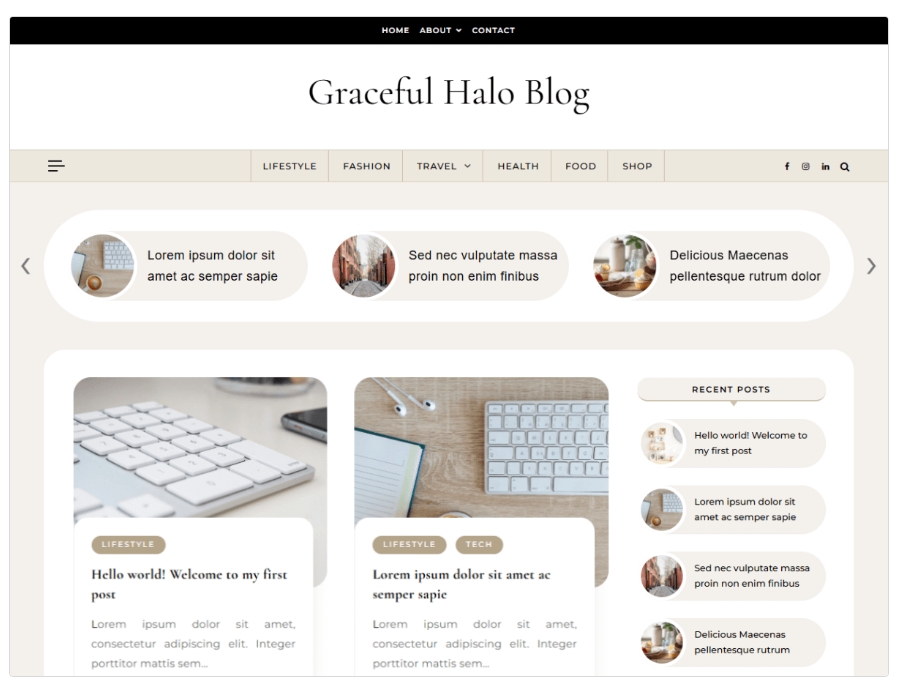
I started with going to the DKC that is on campus, which stands for Digital Knowledge Center. I learned all the skills that I mentioned above from the DKC. When I left, I was able to process and a lot of clicking in order to reminder what we worked on. When I was at the DKC, I found the perfect theme while I was searching for one to make my video and update my own website. I knew I wanted something modern and clean because I did not like how mine was all over the place and hard to find certain things. Down below is the example it gives you when you search up “Graceful Halo”:
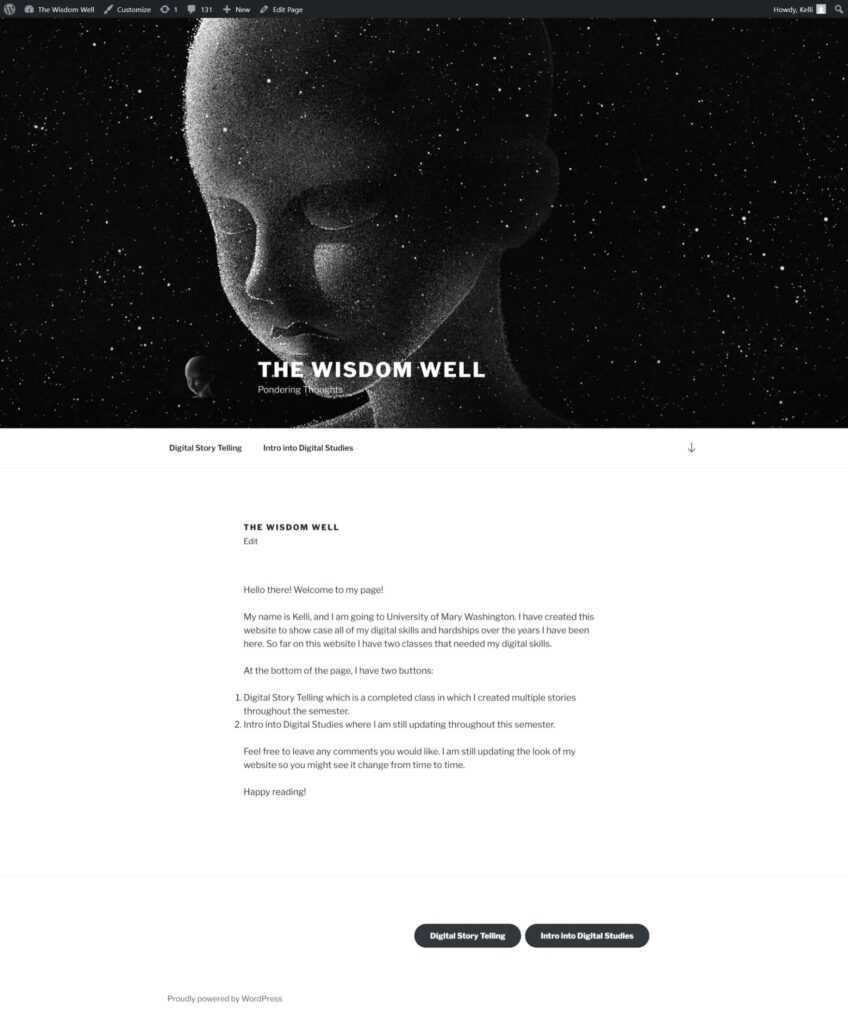
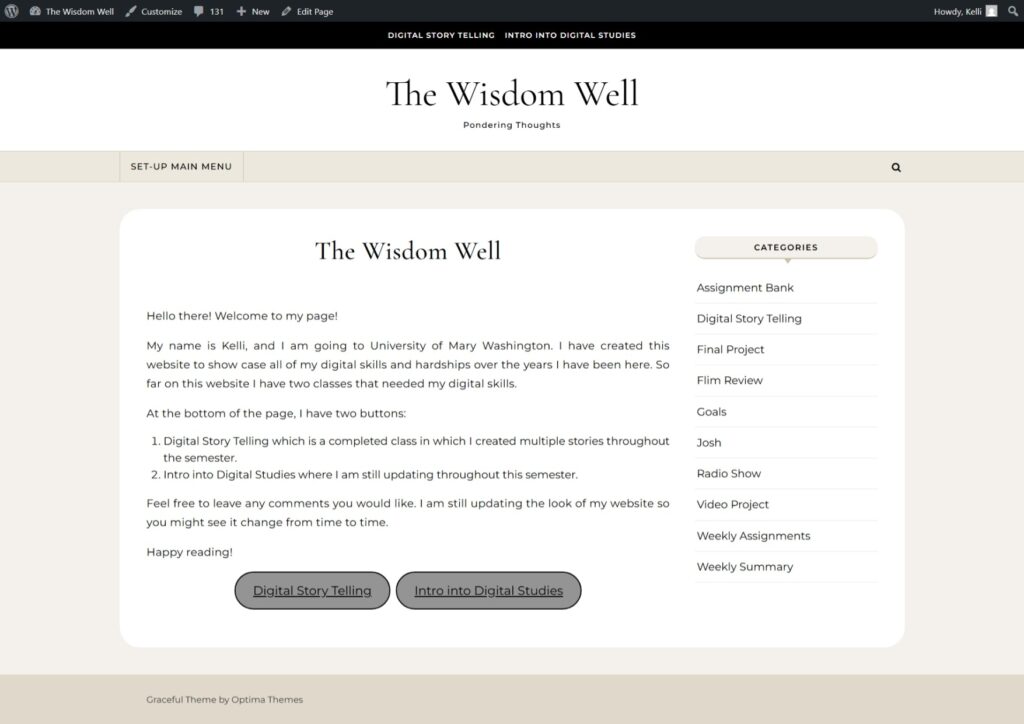
So my website went from dark into light:
The people in my group during this class gave me a lot of praise for doing an entire website. I did learn alot about the mapping module work since I did not really understand the concept but a group member really helped me understand using pictures and explaining his thought process in the prestation. When it came to my modules, the group did not understand website creations so anything I did on my website, I used the DKC for mostly everything I have created, including this project! My group did not give me alot of feedback other than making sure I stayed on time, which was a hard one for me.
Prior module work affected my final project decisions because I wanted to make my website updated that included all my knowledge like making it more accessible to my users even if they can not view the videos, I know understand that I should include words with it.
Learning earlier in the semester inform my project
There are three sources that I used from throughout the semester which I got from these websites listed below:
- https://www.nngroup.com/articles/usability-101-introduction-to-usability/
- https://www.npr.org/2022/07/11/1110926267/digital-minimalism-can-help-find-balance
- https://www.newyorker.com/humor/daily-shouts/technology-that-my-kids-will-have-to-explain-to-me
The reason I felt like switching my theme was important was because of these three quotes that I got from this website: https://www.nngroup.com/articles/usability-101-introduction-to-usability/
- Definition of Utility = whether it provides the features you need.1 (Nielsen, 2012)
- Definition of Usability = how easy & pleasant these features are to use.2 (Nielsen, 2012)
- Definition of Useful = usability + utility.3 (Nielsen, 2012)
Supports what I did: Switches themes help with learnability and efficiency- making it easier for new and returning users to navigate. Hover effects help with usability and satisfaction for readings. Usably helps with less frustrations and utility helps with good content that is easy to find.
The second source I used was from this website: https://www.npr.org/2022/07/11/1110926267/digital-minimalism-can-help-find-balance
A quote that stuck out to me was, “With digital minimalism, you can engage with the digital world in a way that’s intentional and appropriate for you.”4(NPR, 2022) It made me think about how I can help limit distraction when looking at something and reduce friction.
Supports what I did: My redesign of a modern looks helps reduce friction, limiting distraction which supports a healthier relationship with technology that my website only provides information on what I have created in this class and how I was able to create it.
The last quote I liked was: “I hope that, when I’m old and tired, the young’uns will be willing to explain all the new technologies to me.”5(Kvitka, 2022) from the website of https://www.newyorker.com/humor/daily-shouts/technology-that-my-kids-will-have-to-explain-to-me
This made me think about how old people will feel on my website and the look should not scare them away.
Supports what I did: Made it simpler and made sure all my post were easy to get to so even non-tech savvy people can navigate my website.
Evaluation
The strongest part of my project was learning how to do something that I was scared of doing which was changing my theme. When I first created this website, I did not do it correctly and it bit me in the ass which made me scared that if I changed theme would it mess up everything I created. Come to find out, that yes the back end of the website is crazy, we can make the face user friendly, even if it is a different theme. I was happy that the DKC was able to tell me that it will be okay to switch it up and nothing will be completely deleted. If I had more time, I would check my spelling on every single post and page. I know that my spelling as never been up to standards so making sure everything is spelled correctly would be a big relief for me personally.
I would want to remember how to create and update my website for the future in case I want to keep up with this website even after I finish school. Lucky for me, I have documented a lot of what I did in order to help me achieve those goals within this website. Funny how it makes a complete circle. I made most of my pages to help people understand what I did and I might use my own advice. I will avoid to only have sound in my video because I feel it is important to have a bigger audience, even if that means making words so people can understand what is happening on the screen without seeing what is shown.
My future plans would be to keep this website going. I love how my family always ask how it is going. I am very proud of what I have created, now more than ever after this class. The about of knowledge I learned in this class is crazy. That is crazy good! I will probably add this website to my resume because it shows how I overcome my challenges and also offers insight to who I am.
I am always grateful for both of my digital classes I have taken here at UMW, but man are they a lot of work. Very rewarding at the end to see all of your hard work in one quick click.
Until next time, this is Kelli signing off. 12/11/2025.
- Jakob Nielsen, “Usability 101: Introduction to Usability,” Nielsen Norman Group, November 4, 2012, accessed December 11, 2025, https://www.nngroup.com/articles/usability-101-introduction-to-usability/. ↩︎
- Nielsen, “Usability 101.”. ↩︎
- Nielsen, “Usability 101.” ↩︎
- NPR Staff, “Digital Minimalism Can Help Find Balance,” NPR, July 11, 2022, accessed December 11, 2025, https://www.npr.org/2022/07/11/1110926267/digital-minimalism-can-help-find-balance. ↩︎
- Theora Kvitka, “Technology That My Kids Will Have to Explain to Me,” The New Yorker, 2022, accessed December 11, 2025, https://www.newyorker.com/humor/daily-shouts/technology-that-my-kids-will-have-to-explain-to-me ↩︎
